Technical SEO Checklist: 30 Critical Issues to Fix in 2026
Free Checklist 2025

Technical SEO Checklist:
30 Critical Issues to Fix Now

Technical problems silently kill your rankings even when content and backlinks are strong. Audit and fix every item below before scaling.

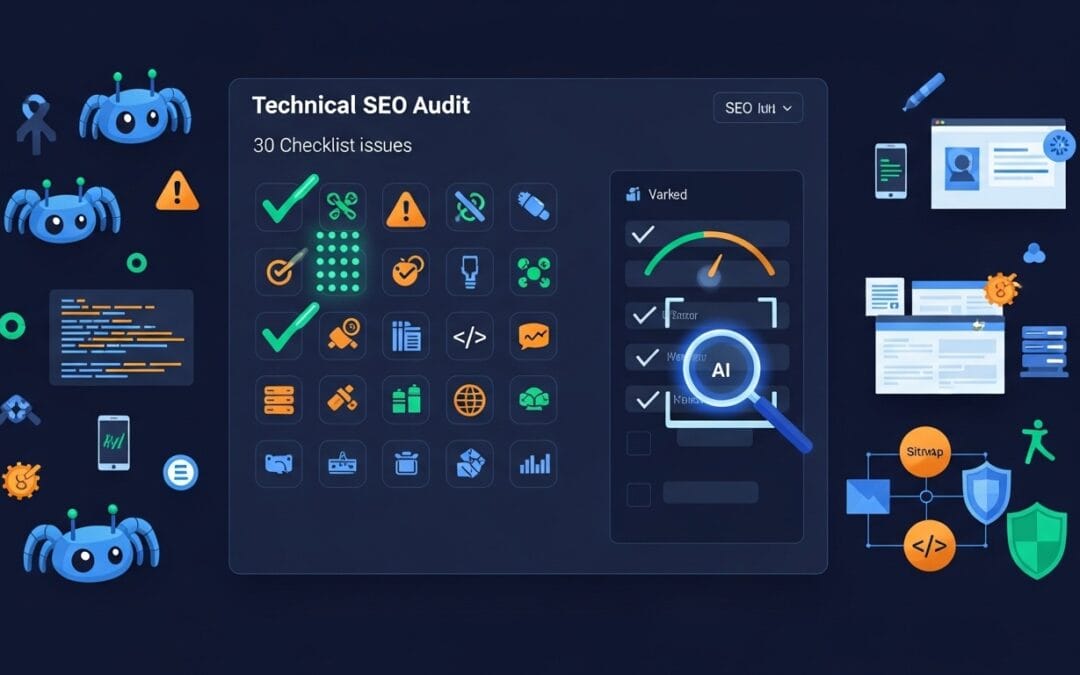
Technical SEO audit dashboard showing site performance metrics

This checklist covers the 30 most critical technical SEO problems webmasters encounter. Each item is ranked by impact and includes a practical fix tip. Whether you run a small blog or a large e-commerce store, resolving these issues is the fastest way to recover lost rankings and unlock organic traffic growth. Google's crawlers must be able to find, render, and index your pages efficiently — anything blocking that process costs you visibility.

53%
of mobile users leave if a page loads slower than 3 seconds
68%
of online experiences begin with a search engine
3x
more organic traffic for sites that fix Core Web Vitals
30
critical issues covered in this free checklist

Crawlability & Indexing

Search engines must crawl and index your pages before they can rank. Even a minor misconfiguration in your robots.txt or a stray noindex tag can prevent entire sections of your website from appearing in search results. Conduct a regular crawl audit using tools like Screaming Frog or Google Search Console to catch these issues early. A clean crawl path ensures that every piece of content you create has a real chance to rank.

1.Robots.txt blocking key pagesAudit your robots.txt file monthly. Confirm that important sections like /blog, /products, and /services are not disallowed.
2.Noindex tags applied incorrectlyScan all meta robots tags. Remove noindex from pages you want ranked; it is a common staging-to-live migration mistake.
3.Pages excluded from Google indexUse the Coverage report in Google Search Console to identify and resolve all excluded pages individually.
4.Crawl errors and broken URLsFix 404 errors by redirecting broken URLs to the most relevant live page using 301 redirects to preserve link equity.
5.Duplicate URLs from parametersUse the URL Parameters tool in Search Console or canonical tags to consolidate tracking parameter variants into one URL.

Site Speed & Core Web Vitals

Page speed is both a ranking factor and a conversion factor. Google's Core Web Vitals — Largest Contentful Paint (LCP), Cumulative Layout Shift (CLS), and Interaction to Next Paint (INP) — are now part of the official ranking algorithm. A slow website frustrates users and signals low quality to search engines. Use Google PageSpeed Insights and Chrome DevTools to diagnose bottlenecks and measure your scores before and after each optimization.

6.Slow server response time (TTFB)Target a Time to First Byte under 200ms. Upgrade your hosting, enable a CDN, or switch to a faster server-side language or cache layer.
7.Unoptimized images and mediaConvert all images to WebP or AVIF format, apply lazy loading, and use responsive srcset attributes to serve the right size per device.
8.Render-blocking JS and CSSDefer non-critical JavaScript and inline only above-the-fold CSS. Use async or defer attributes on all script tags where possible.
9.Poor Core Web Vitals scoresAim for LCP under 2.5 seconds, CLS below 0.1, and INP under 200ms. Use the CrUX report in Search Console to track field data.
10.No caching or compressionEnable Gzip or Brotli compression server-side and implement long-lived cache headers for static assets like images, fonts, and JS files.

Mobile SEO Optimization

Google operates on a mobile-first indexing model, meaning the mobile version of your site is the primary version used for ranking. If your mobile experience is broken, slow, or hides key content, your entire website will suffer in search results regardless of how good your desktop version is. Test every page template with Google's Mobile-Friendly Test tool and audit your mobile performance separately from desktop in PageSpeed Insights.

11.Website not mobile-friendlyUse a responsive design that adapts to all screen sizes. Avoid fixed-width layouts, horizontal scroll, or desktop-only navigation patterns.
12.Hidden or truncated content on mobileEnsure all text, images, and structured data visible on desktop are also accessible on mobile without requiring any extra user interaction.
13.Touch elements too close togetherSet a minimum tap target size of 48×48 pixels with at least 8px spacing between interactive elements to pass Google's usability standards.
14.Slow mobile load speedMobile networks are slower. Reduce total page weight to under 1MB, eliminate unnecessary scripts, and prioritize above-the-fold content loading.
15.Viewport configuration errorsAlways include the correct viewport meta tag: content="width=device-width, initial-scale=1". Never use user-scalable=no as it harms accessibility.

Site Architecture & URL Structure

A logical site architecture helps both users and search engines navigate your content efficiently. When important pages are buried deep in your site hierarchy or left without internal links pointing to them, they receive little crawl budget and almost no PageRank. Clean URL structures, flat site hierarchies, and smart internal linking ensure that authority is distributed evenly and that every valuable page gets discovered and indexed regularly.

16.Pages buried more than 3 clicks deepRestructure your navigation so every important page is reachable within three clicks from the homepage. Use hub pages and clear category structures.
17.Orphan pages with no internal linksEvery indexable page should receive at least one internal link. Run a crawl audit to identify orphans and add contextual links from relevant parent pages.
18.Poor internal link distributionHigh-priority money pages should receive the most internal links. Use anchor text naturally and audit link equity flow with tools like Ahrefs or Screaming Frog.
19.Non-SEO-friendly URL structuresUse short, descriptive, keyword-rich URLs. Avoid query strings, session IDs, and unnecessary subdirectory depth. Keep URLs lowercase with hyphens.
20.Broken breadcrumbs or navigationBreadcrumbs improve UX and help Google understand page hierarchy. Pair them with BreadcrumbList schema markup to earn breadcrumb rich results in SERPs.

Technical Signals & Metadata

Canonical tags, XML sitemaps, structured data, and consistent meta tags are the communication layer between your website and search engines. When these signals are missing, incorrect, or contradictory, Google has to guess your intent — and it often guesses wrong. Duplicate content issues caused by missing canonicals can split link equity and dilute ranking power. Structured data helps you earn rich results that dramatically improve click-through rates from search.

21.Missing or incorrect canonical tagsEvery page should have a self-referencing canonical tag. For duplicate content scenarios, point all variants to the one preferred URL you want ranked.
22.Multiple site versions (HTTP/HTTPS/WWW)Pick one canonical domain (preferably HTTPS non-www or www) and 301 redirect all other versions to it. Set your preferred domain in Search Console.
23.Missing or broken XML sitemapGenerate a clean XML sitemap with only indexable, canonical URLs. Submit it in Search Console and check for errors after every major site change.
24.Missing or invalid structured dataAdd relevant schema types for your content: Article, Product, LocalBusiness, FAQ, HowTo, BreadcrumbList. Validate with Google's Rich Results Test.
25.Inconsistent meta tags across pagesEvery page needs a unique, keyword-rich title tag (50–60 characters) and meta description (150–160 characters). Avoid duplicates and blank fields.

Security, UX & Trust Signals

Google rewards websites that prioritize user safety and provide a satisfying browsing experience. An invalid SSL certificate will trigger browser security warnings that immediately drive users away. Intrusive pop-ups and poor page layouts increase bounce rates, which signal to Google that users are not finding what they need. Thin, auto-generated, or low-quality pages dilute your overall site authority and can trigger manual or algorithmic penalties under Google's helpful content system.

26.Missing or invalid SSL certificateAll pages must be served over HTTPS. Install a valid SSL certificate, force HTTPS with server-level redirects, and keep certificates renewed before expiry.
27.Mixed content warningsMixed content occurs when an HTTPS page loads HTTP resources. Fix all insecure image, script, and iframe URLs to eliminate browser security warnings.
28.Intrusive interstitials and pop-upsGoogle penalizes full-screen pop-ups that appear immediately on mobile. Use smaller banners for cookie consent and only show opt-in modals after user scroll.
29.Poor UX causing high bounce ratesImprove readability with short paragraphs, subheadings, and sufficient font sizes. Ensure the most important content appears above the fold on both mobile and desktop.
30.Thin or auto-generated pagesEvery indexed page should deliver unique value. Consolidate thin pages via 301 redirects or noindex, and ensure remaining pages meet the helpful content standard.

Frequently Asked Questions

Answers to the most common technical SEO questions from website owners and developers.

Technical SEO refers to all the behind-the-scenes optimizations that help search engines crawl, render, and index your website efficiently. Unlike on-page SEO which focuses on content, or off-page SEO which focuses on backlinks, technical SEO deals with your site's infrastructure. Issues like slow page speed, broken URLs, incorrect robots.txt rules, or missing canonical tags can prevent even high-quality content from ranking. It matters because without a technically sound foundation, all other SEO efforts deliver diminished results.
For most websites, a comprehensive technical audit should be conducted every 3 to 6 months. However, you should also run targeted crawls after any major site change such as a redesign, CMS migration, URL restructure, or the addition of a significant new content section. Use automated monitoring tools like Google Search Console, Ahrefs Site Audit, or Semrush to catch critical issues like crawl errors and Core Web Vitals regressions in real time between full audits.
Core Web Vitals are a set of real-world performance metrics defined by Google that measure how users experience page speed and stability. The three metrics are Largest Contentful Paint (LCP), which measures loading speed; Cumulative Layout Shift (CLS), which measures visual stability; and Interaction to Next Paint (INP), which measures interactivity responsiveness. Since 2021, these metrics have been part of Google's Page Experience ranking signal. Pages that score "Good" on all three have a meaningful ranking advantage over competing pages with poor scores, especially in competitive niches.
Yes. All 30 items in this checklist apply to any website regardless of the CMS or page builder. Divi and WordPress users specifically should pay attention to items related to render-blocking scripts (common with Divi's front-end builder), image optimization (use ShortPixel or Imagify), caching (WP Rocket or W3 Total Cache work well), and canonical tags (managed via Rank Math or Yoast SEO). Divi's built-in dynamic CSS and deferred loading options can help with Core Web Vitals if configured correctly.
Start with crawlability and indexing (items 1–5). If Google cannot properly crawl and index your pages, nothing else you do will move the needle. Once you have confirmed that your important pages are indexed and free of crawl errors, move to page speed and Core Web Vitals, then mobile optimization. Think of it as building a house: the foundation must be solid before you worry about the paint. Use Google Search Console's Coverage and Page Experience reports as your starting diagnostic dashboard.
Results vary depending on the severity of the issues and how frequently Google crawls your site. Fixing a noindex tag or an incorrect canonical can lead to ranking improvements within days once Googlebot recrawls the page. Site speed improvements that lift Core Web Vitals scores typically reflect in rankings over 4 to 8 weeks. Structural changes like improving internal linking or fixing site architecture usually take 2 to 4 months to show measurable organic traffic impact. Submit your updated sitemap in Search Console and request indexing for critical pages to speed up the process.